Key Takeaways
1. Visual project management enhances team communication and collaboration
"A picture is worth a thousand words, but in project management, it can be worth a thousand meetings."
Improved understanding: Visual project management tools transform abstract concepts and complex data into easily digestible visual formats. This approach significantly reduces misunderstandings and miscommunications among team members, stakeholders, and clients. By presenting information graphically, teams can quickly grasp project status, goals, and challenges.
Enhanced engagement: Visual elements like colors, shapes, and icons naturally attract attention and make information more memorable. This increased engagement leads to better retention of project details and more active participation in discussions and decision-making processes. Additionally, visual tools often allow for real-time updates and interactions, fostering a more collaborative and dynamic project environment.
2. Kanban boards optimize workflow and task prioritization
"Kanban boards turn chaotic task lists into a visual symphony of productivity."
Workflow visualization: Kanban boards provide a clear, visual representation of work in progress, typically organized into columns representing different stages of completion (e.g., To Do, In Progress, Done). This layout allows team members to:
- Quickly assess the current workload
- Identify bottlenecks or areas of congestion
- Understand the overall flow of tasks through the project lifecycle
Task prioritization: By limiting the number of tasks in each column, Kanban boards enforce a focus on completing current work before starting new tasks. This approach helps teams:
- Avoid overcommitment and multitasking
- Prioritize high-impact tasks
- Maintain a steady, manageable workflow
- Improve overall project efficiency and quality
3. Gantt charts provide clear timeline visualization for project planning
"Gantt charts transform time from an abstract concept into a tangible resource you can see, manage, and optimize."
Comprehensive timeline view: Gantt charts offer a horizontal bar chart representation of a project schedule, displaying tasks, their durations, and their relationships to one another. This visual format allows project managers and team members to:
- See the entire project timeline at a glance
- Identify task dependencies and potential conflicts
- Understand the critical path and key milestones
Resource allocation: By clearly showing when tasks are scheduled and how long they are expected to take, Gantt charts facilitate effective resource allocation. Project managers can use this information to:
- Balance workloads across team members
- Identify potential resource conflicts or overallocation
- Make informed decisions about task scheduling and prioritization
4. Mind mapping stimulates creative problem-solving and idea generation
"Mind maps are the neural networks of project ideation, connecting disparate thoughts into a cohesive vision."
Idea exploration: Mind maps start with a central concept and branch out into related ideas, creating a visual representation of thought processes. This structure encourages:
- Free-flowing, associative thinking
- Exploration of multiple perspectives and solutions
- Identification of unexpected connections between concepts
Information organization: As ideas are generated, mind maps help organize and structure information in a logical, hierarchical manner. This organization allows teams to:
- Quickly capture and categorize brainstorming sessions
- Identify main themes and subthemes within a project
- Create a foundation for more detailed project planning and documentation
5. Dashboards offer real-time project status updates at a glance
"A well-designed dashboard is like a crystal ball for your project, revealing its past, present, and future in a single view."
Centralized information: Project dashboards consolidate key metrics, progress indicators, and status updates into a single, easily accessible interface. This centralization allows stakeholders to:
- Quickly assess overall project health
- Identify areas requiring attention or intervention
- Make data-driven decisions based on up-to-date information
Customizable views: Modern dashboard tools often allow for customization, enabling different stakeholders to focus on the metrics most relevant to their roles. This flexibility supports:
- More efficient monitoring of specific project aspects
- Tailored reporting for different audience needs
- Improved stakeholder engagement and buy-in
6. Burn-down charts track progress and predict project completion
"Burn-down charts are the project manager's crystal ball, revealing the future trajectory of your project with each passing day."
Progress visualization: Burn-down charts display the amount of work remaining in a project over time, typically showing a downward trend as tasks are completed. This visual representation allows teams to:
- Track actual progress against planned progress
- Identify whether the project is ahead of schedule, on track, or falling behind
- Adjust efforts and resources as needed to meet deadlines
Predictive power: By extrapolating the current rate of progress, burn-down charts can provide estimates of project completion dates. This predictive aspect enables project managers to:
- Proactively address potential delays or overruns
- Set realistic expectations with stakeholders
- Make informed decisions about scope, resources, or timelines
7. Infographics simplify complex data for stakeholder presentations
"An infographic is a visual elevator pitch, conveying the essence of your project in the time it takes to ride from the lobby to the penthouse."
Data simplification: Infographics distill complex information into visually appealing and easily digestible formats. This simplification helps:
- Make data more accessible to non-technical stakeholders
- Highlight key trends, patterns, and relationships in project data
- Convey important messages quickly and memorably
Engagement boost: The visual nature of infographics captures attention and enhances information retention. When used in presentations, infographics can:
- Increase audience engagement and interest
- Facilitate better understanding of project details
- Provide a visual anchor for discussions and decision-making
8. Flowcharts streamline processes and identify bottlenecks
"A well-crafted flowchart is like a GPS for your project, guiding you through the twists and turns of complex processes."
Process visualization: Flowcharts provide a step-by-step visual representation of a process or workflow. This visualization allows teams to:
- Understand the sequence of activities in a process
- Identify decision points and alternative paths
- Recognize redundancies or unnecessary steps
Bottleneck identification: By mapping out processes in detail, flowcharts help reveal potential bottlenecks or inefficiencies. This insight enables project managers to:
- Pinpoint areas for process improvement
- Allocate resources more effectively to address bottlenecks
- Streamline workflows for increased productivity and efficiency
9. Network diagrams illustrate task dependencies and critical paths
"Network diagrams are the project's neural network, revealing the intricate connections that can make or break your timeline."
Dependency mapping: Network diagrams visually represent the relationships and dependencies between project tasks. This mapping allows project managers to:
- Identify which tasks must be completed before others can begin
- Understand the impact of delays on subsequent tasks
- Plan more accurately for resource allocation and scheduling
Critical path analysis: By clearly showing task dependencies, network diagrams facilitate the identification of the critical path – the sequence of tasks that determines the minimum project duration. This analysis helps teams:
- Focus on the most crucial tasks for timely project completion
- Identify tasks with float (flexibility in start and end dates)
- Make informed decisions about task prioritization and resource allocation
10. Risk heat maps enable proactive risk management strategies
"A risk heat map turns the nebulous specter of project threats into a tangible battlefield where risks can be confronted and conquered."
Risk visualization: Risk heat maps display potential project risks on a grid, typically using color coding to indicate likelihood and impact. This visual representation allows project managers to:
- Quickly identify the most significant risks facing the project
- Prioritize risk mitigation efforts based on potential impact and probability
- Communicate risk levels effectively to stakeholders
Proactive management: By providing a clear overview of project risks, heat maps enable teams to develop and implement proactive risk management strategies. This approach supports:
- Early identification and addressing of potential issues
- More efficient allocation of resources for risk mitigation
- Improved project resilience and adaptability to challenges
Review Summary
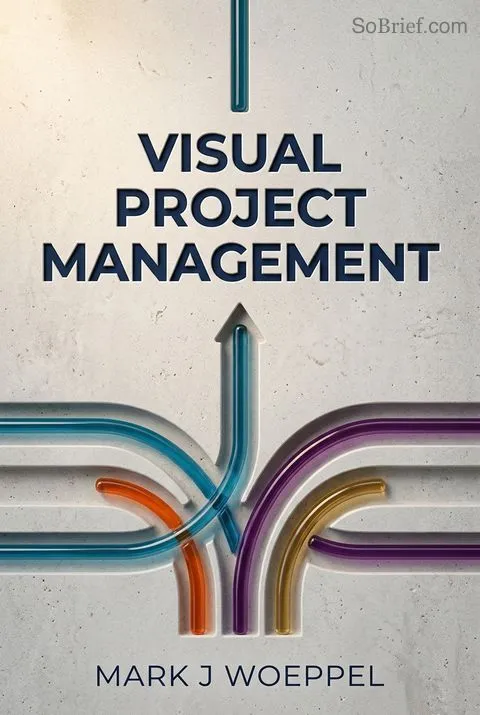
Visual Project Management receives mixed reviews. Many praise its robust project management system and focus on execution, highlighting techniques for on-time, on-budget delivery. Readers appreciate insights on team productivity, process enhancement, and cost reduction. Some find the title misleading, expecting more visual content. Critics note the book's text-heavy nature and limited visual elements. Overall, reviewers value the practical strategies for effective project management, though opinions vary on readability and visual content. The book is recommended for project managers seeking to improve delivery processes and overcome common project pitfalls.
Download PDF
Download EPUB
.epub digital book format is ideal for reading ebooks on phones, tablets, and e-readers.